2. Enable communication with Scout
Open the Scout section in the device's web server or in the MyConfig app and turn on the Scout communication switch.
Most devices can enable communication with Scout by following the steps below. Some devices require specific steps. Check whether your device requires a specific configuration here before continuing.
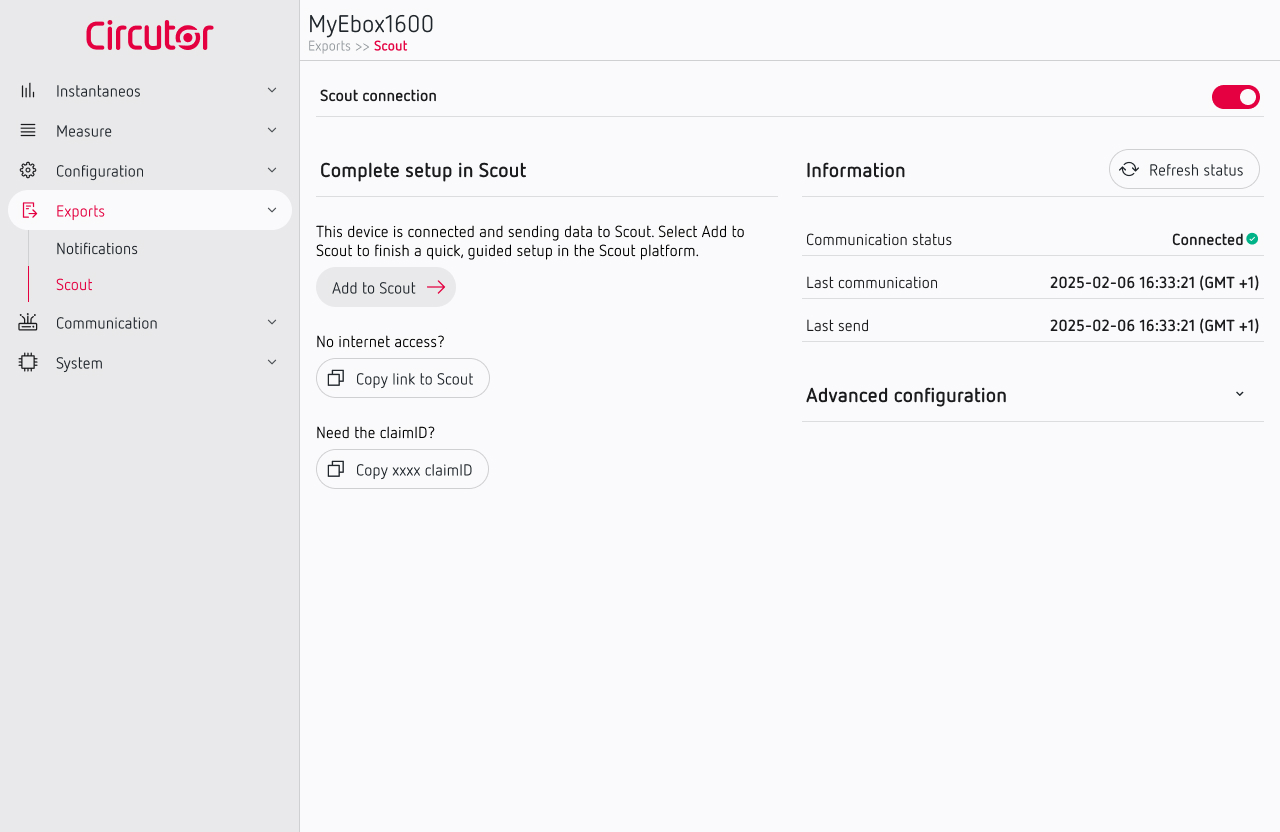
If the connection is successful, the device will show Connected. If there is a problem, an error will be shown.
If the device does not connect, check the Internet connection and the network requirements described in the previous step. If the problem persists, contact us at [email protected].
Once communication with Scout is enabled, you can connect your device to Scout.
Check the network requirements
If your network has firewall or security restrictions, confirm with your IT team that the following Scout connections are allowed:
wss://scout.circutor.com/ws/stompwww.mycircutor.comhttps://proxy.mycircutor.com
Once your device has an Internet connection and meets these requirements, you are ready to enable communication with Scout.
Devices with specific configuration
Some devices require specific steps to enable communication with Scout. Follow the instructions for your device before continuing with the connection process.