Understand your installation and asset hierarchy
Organise your installation in Scout so your data reflects how your site is structured.
Your asset hierarchy describes how the different elements of your installation are related to each other.
A well-structured hierarchy makes it easier to navigate your installation and understand your data throughout Scout.
Build your installation structure
A Location is the installation or site you want to monitor. Under each Location, you can create Assets and organise them into sub-assets.
For example:
Project → Building → Floor → Area → Measurement point
The structure can be as simple or as detailed as your installation requires.
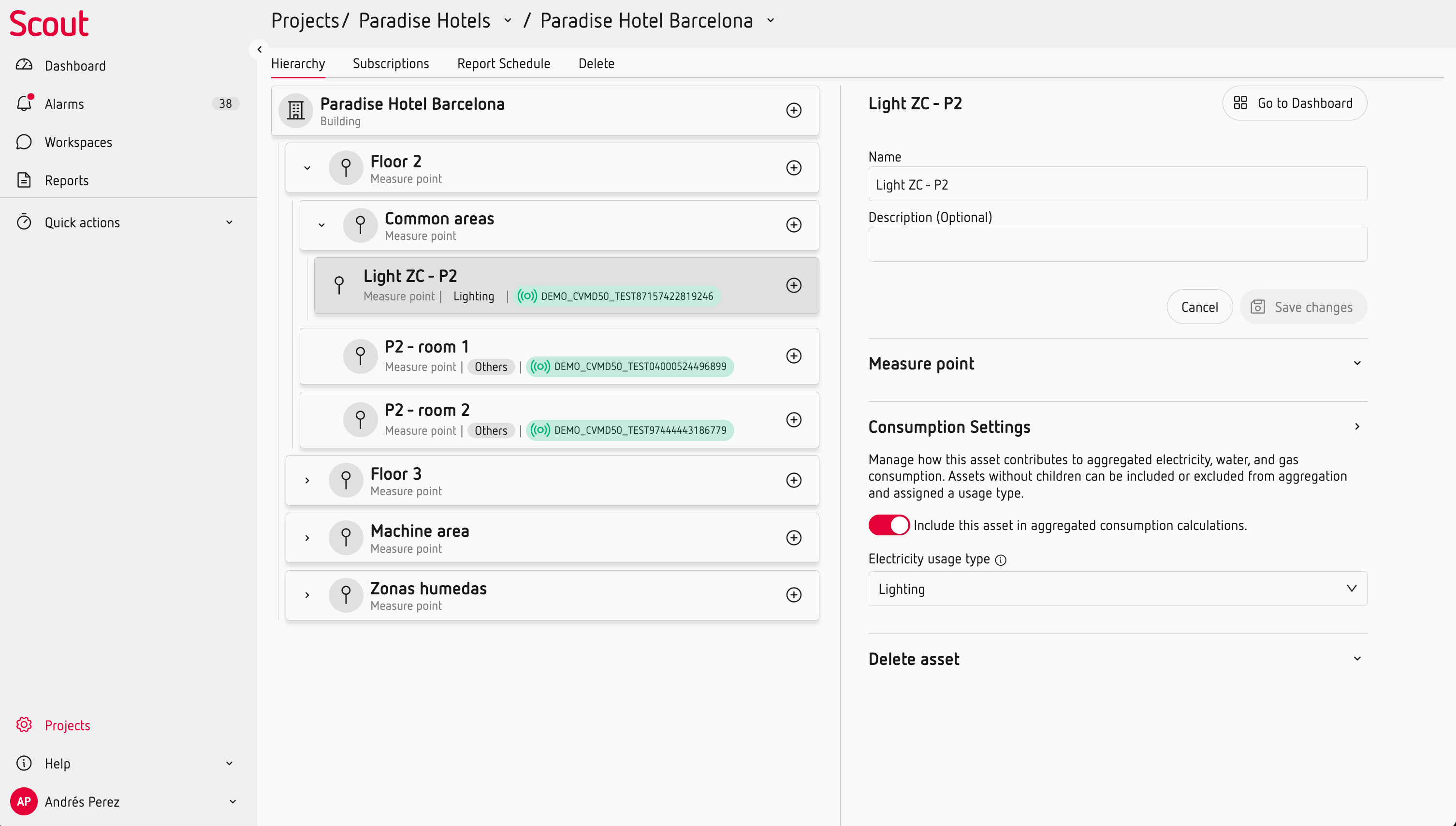
You can use Assets to represent different elements of your installation, such as areas, electrical systems, measurement points or other elements that provide data to Scout.
Use the hierarchy to understand your data
Scout uses the asset hierarchy to organise and analyse information across your installation.
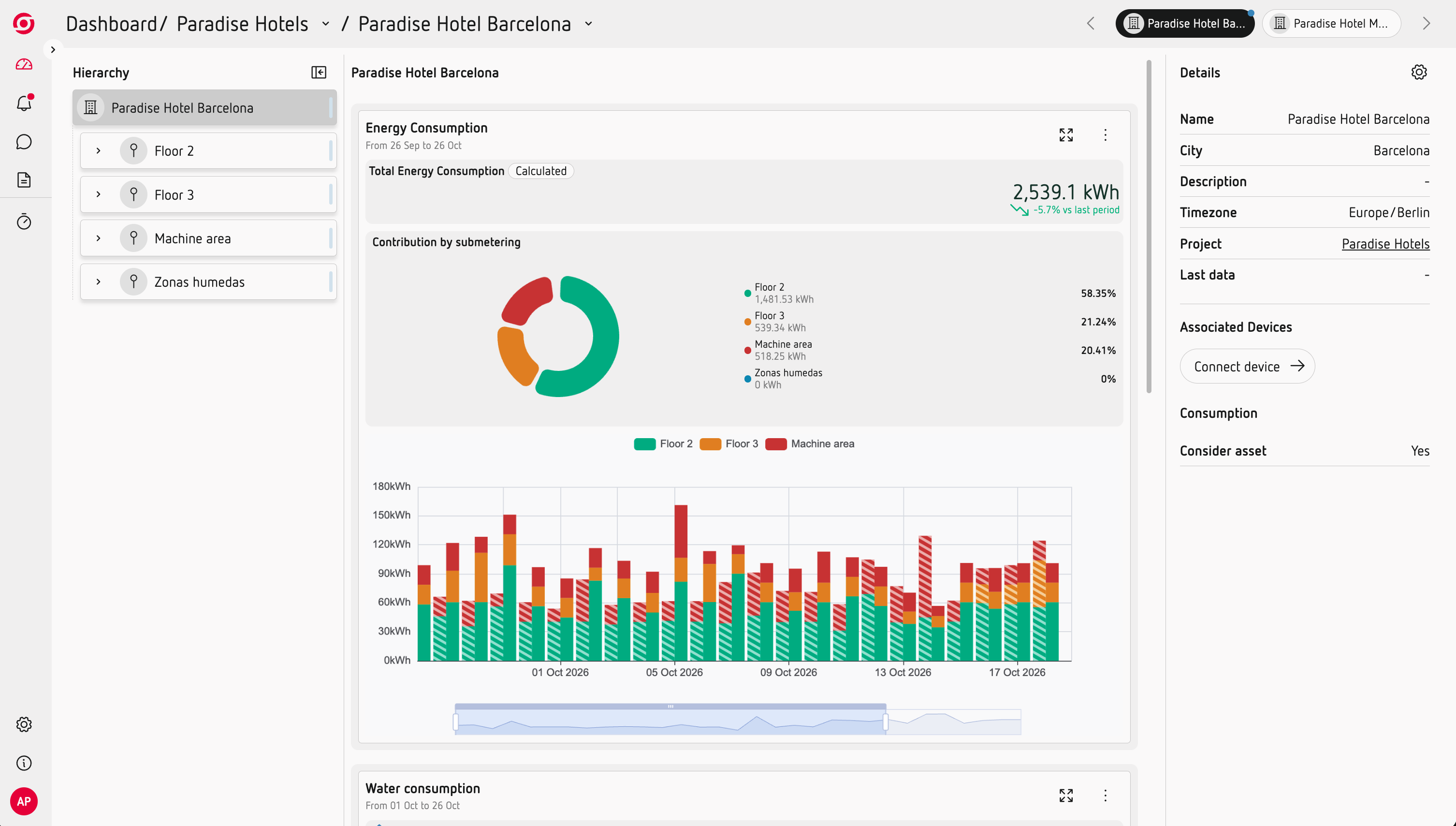
For example, when analysing consumption, an Asset can include the consumption of its child Assets when they have consumption measurements.
This allows you to move from an overall view of a Location to more detailed information about the areas or elements below it.
Keep your data organised as your installation changes
The asset structure is independent from the physical device providing the data.
You can therefore replace a device without changing the Asset or losing its historical data.
Good to know
Some Scout features use the asset structure to add context to your data. For example:
- Consumption by Asset uses the hierarchy to show how consumption is distributed.
- Usage Types can be assigned to leaf Assets to analyse consumption by type of use.
- Tariffs are configured at Location level and apply to the relevant installation.
- Scheduled reports are managed at Location level.
- Permissions can be managed at Location level.